Overview
taskstream is a local-first task manager for macOS and Linux. Nested tags, an embedded AI agent pane, Todoist sync, and a keyboard-first workflow — all running offline.
What it is
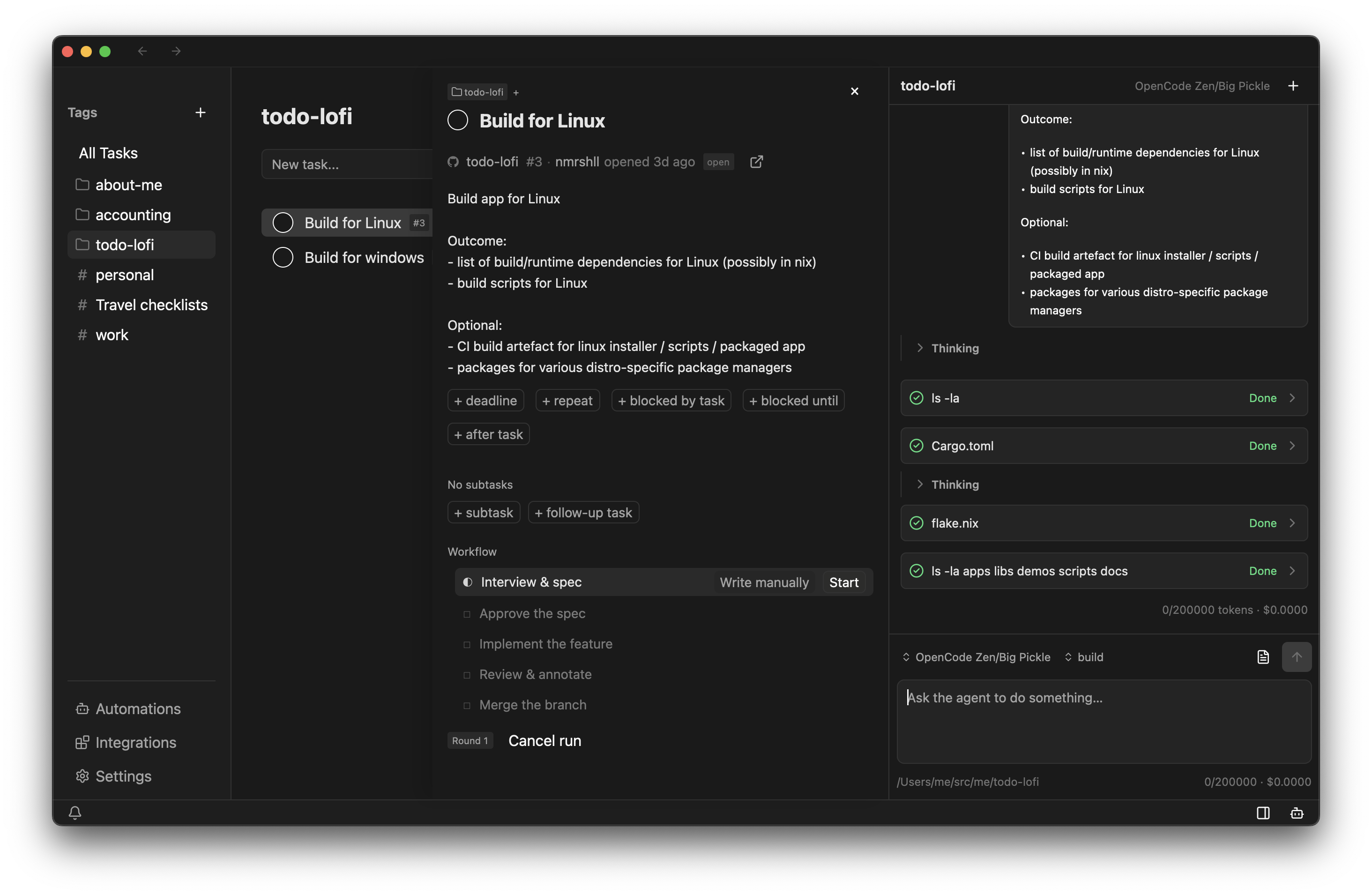
taskstream is a task manager that keeps your lists on your own machine and stays fully usable with no network at all. Organize work into nested tags, projects, and areas; set repeats through a picker instead of memorizing syntax; hand work to the docked agent pane; and let long-running efforts carry their own staged workflows.
Everything in the core loop — listing, editing, repeating, and reordering tasks — works offline and is driven from the keyboard. Network features are opt-in extras: connect Todoist or GitHub sync, or give the agent a model provider, and each one brings its own credentials without ever gating the task list itself.
Highlights
- Integrated AI agentAvailable
A docked agent pane for doing work, not just answering questions: it can read and change your lists, set up repeats, and run a task through a whole workflow.
- Tags, projects, and areasAvailable
Group and filter tasks with nested tags, organize them into a tree of projects and areas, and reorder by drag and drop.
- Repeat and schedulingAvailable
Recurring tasks are configured in a dedicated picker instead of a syntax you have to remember.
- Semi-automated workflowsAvailable
A task can carry a workflow. Coding tasks, for example, move through interview, spec, implement, review, and merge.
- Two-way syncTodoist · GitHub preview
Keep working in the task app you already use. Todoist sync is the current target; GitHub issues and projects are in preview.
- Mini-apps (extensions)Some coming soon
Small purpose-built panes: travel checklist templates ship today; message follow-ups, birthday reminders, and job application tracking are planned.
Five phases, each a step you complete. The agent works inside a phase; you decide when it ends.
feature/42-add-oauthBase main- Round 1 rejected · error paths are not covered
- Spec saved · docs/spec/add-oauth-spec.md
not proposed yetBase main- Interview round 1 · asking clarifying questions
feature/old-notes-panerun cancelledDeleteYour data stays yours
Your tasks live on your machine, and that copy is the one the app trusts. Sync is a layer on top: when you connect an outside system, the app maps your tasks onto it and reconciles changes in both directions — but a sync that fails never breaks the list, and you keep working offline until it catches up.
The same opt-in rule holds for the agent: nothing needs configuring to use the local lists, and the agent only starts working once you pick a provider and give it a key. SeeConfiguration for providers and accounts, andthe roadmap for what is shipped versus planned.
Where to start
Using the app
You want to run taskstream and get your tasks into it.
- Install and runWhat you need, and how to run it from a checkout or build a macOS app.
- Tasks, tags, and projectsHow the tree works, and what a task carries besides a title.
- RoadmapWhat is available, what is in preview, and what is only planned.
- ConfigurationIn-app settings, model providers, and connecting Todoist or GitHub.